
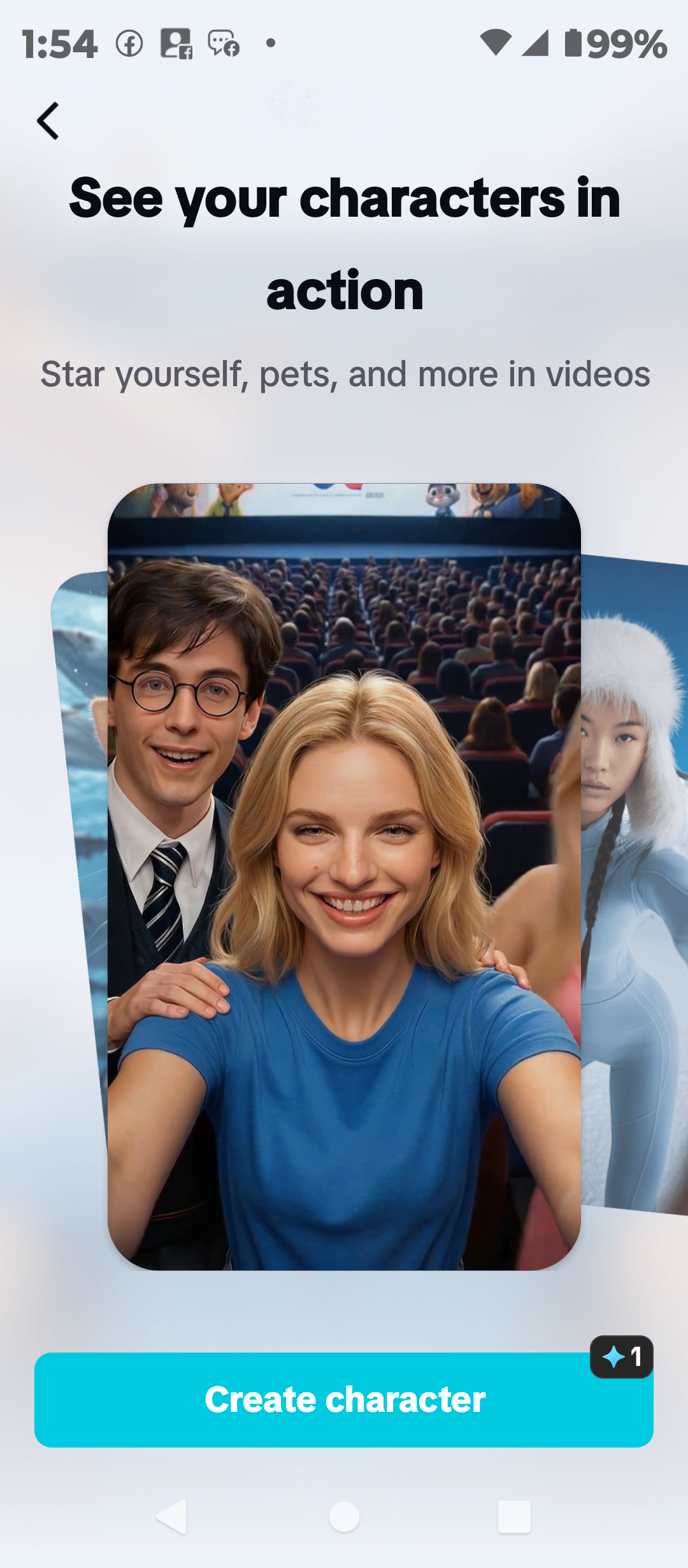
Creating professional-looking videos used to require expensive cameras, editing software, good lighting, and hours of editing. Today, artificial intelligence is changing the process. Most Professional creators now use AI Video generators to create powerful videos for social media and Youtube.
With an AI video generator, you can turn a simple idea, text prompt, script, image, or existing content into a video with much less manual work. Some tools can generate scenes from text, while others can create AI avatars, voiceovers, captions, animations, background music, and complete social media videos.
The good news is that you do not always need to pay for expensive software to get started. Several AI video platforms offer free plans or free access to selected AI video features.
However, there is an important catch: free does not always mean unlimited. Some platforms limit the number of generations, video length, resolution, export options, or add watermarks to free videos.
In this guide, we will look at some of the best free AI video generators in 2026, what they are good for, their strengths and limitations, and how you can choose the right one for your needs.
What Is an AI Video Generator?
An AI video generator is a tool that uses artificial intelligence to help create videos from instructions or existing content.
Instead of manually creating every scene, you can give the tool a prompt such as:
“Create a short video showing a young entrepreneur working on a laptop in a modern office.”
Depending on the platform, the AI may generate video scenes, select visuals, create a voiceover, add music, write a script, generate captions, or assemble the entire video.
Some AI video generators work mainly with text-to-video, while others focus on image-to-video, AI avatars, video editing, or script-to-video production.
This makes AI video tools useful for creators, bloggers, marketers, business owners, teachers, social media managers, and people who want to create videos without appearing on camera.
Why Are AI Video Generators Becoming Popular?
There are several reasons more people are using AI for video creation.
1. They save time
Traditional video production can take several hours or even days. AI can help with scripting, scene creation, voiceovers, captions, and editing much faster.
2. You do not need advanced editing skills
Many AI video tools are designed for beginners. You can start with an idea or script instead of learning complicated editing software first.
3. They are useful for social media
Short-form video is important on platforms such as TikTok, Instagram Reels, YouTube Shorts and Facebook. AI tools can help creators produce content faster.
4. They can support faceless content
You do not always need to show your face. AI-generated visuals, stock footage, voiceovers, animations and avatars can be combined to create faceless videos.
5. They can reduce production costs
For someone starting a YouTube channel, online business or social media brand, free AI tools can reduce the need to purchase expensive equipment or software.
Best Free AI Video Generators in 2026
Here are some of the most useful AI video creation tools worth trying.
1. CapCut AI Video Generator
Best for: Social media videos, short-form content and beginners
CapCut is one of the most popular choices for creators who want to create and edit videos quickly.
Its AI-powered features can help users turn ideas and prompts into videos, while its regular editing tools allow you to make further changes to the finished project.
You can add text, captions, music, transitions, effects, voiceovers and other elements to your videos.
CapCut is particularly useful for people creating content for TikTok, Instagram, YouTube Shorts and other social platforms. capcut.com
Why choose CapCut?
- Beginner-friendly interface
- AI-powered video creation features
- Video editing tools
- Automatic captions
- AI voice and audio features
- Templates for social media
- Useful on both mobile and desktop
- Suitable for short-form content
One major advantage of CapCut is that it combines AI generation with traditional video editing. This means you are not limited to whatever the AI creates. You can edit the result and make it fit your brand.
Best for: Beginners, social media managers, TikTok creators, Instagram creators and YouTubers.
Keep in mind that some advanced AI features and premium assets may require payment, and available free features can change over time.

2. Canva AI Video Generator
Best for: Beginners, business owners and social media content HOW TO MAKE MONEY ONLINE WITH AI TOOLS
Canva is widely known as a graphic design platform, but it has developed into a broader content creation tool that also supports video.
Its simple interface makes it attractive to people who do not have professional design or video editing experience.
You can combine video clips, images, text, animations, music and templates to create social media content, presentations, promotional videos and other visual materials.
Canva also includes AI-powered features that can assist with content creation. canva.com
Why choose Canva?
- Very easy to use
- Large selection of templates
- Video editing features
- Social media-friendly designs
- AI-powered creative tools
- Useful for business branding
- Works well for presentations and promotional content
One of Canva’s biggest advantages is that you can create your video and other brand materials in the same platform.
For example, a small business owner could create a promotional video, Instagram post, presentation and social media graphics without switching between several applications.
Best for: Small businesses, bloggers, marketers, beginners and social media managers.
However, AI usage and some advanced features may be limited on the free plan.
3. InVideo AI Video Generator
Best for: Turning scripts and ideas into complete videos
InVideo AI is designed for people who want to create videos from text instructions.
Instead of starting with a blank editing timeline, you can provide an idea or script and allow the AI to help build the video.
This makes it useful for YouTube videos, explainers, marketing content, educational videos and social media content.
Why choose InVideo AI?
- Text-to-video creation
- AI-assisted script generation
- AI voiceovers
- Templates
- Stock media
- Automatic scene creation
- Useful for marketing content
For example, you could provide a topic such as:
“5 ways small businesses can use artificial intelligence to save time.”
The platform can help turn the idea into a structured video.
The free version is useful for testing the platform, but free exports may include limitations such as watermarks or restricted usage.
Best for: YouTubers, marketers, bloggers and business owners who want to turn written ideas into videos. https://www.invideo.io

4. VEED AI Video Generator
Best for: AI-assisted video creation and online editing
VEED is an online video creation and editing platform that combines AI features with traditional video editing.
Its AI video generator can create video clips from text prompts, allowing users to describe what they want rather than creating every scene manually.
The platform also provides tools for subtitles, editing, audio and other video production tasks.
Why choose VEED?
- Online video editor
- AI video generation
- Automatic subtitles
- Text-to-video features
- AI-assisted editing
- Social media video tools
- Easy browser-based workflow
VEED can be especially useful if you want to generate a clip and then immediately edit it in the same workspace.
The free plan has limitations, and AI generation availability can depend on the feature and region.
Best for: Content creators, marketers, social media managers and people who prefer browser-based tools.https://www.vidmuse.ai
5. Runway AI Video Generator
Best for: Creative and cinematic AI video
Runway is aimed more at creators who want to experiment with AI-generated visual content.
It can be useful for generating creative video clips, transforming images and exploring cinematic visual ideas.
Compared with simple social media editors, Runway is more focused on generative video and creative control.
Why choose Runway?
- AI-generated video
- Image-to-video capabilities
- Creative visual effects
- Advanced generative tools
- Useful for storytelling
- Suitable for creative experiments
Runway is worth considering if your goal is to create unique visual scenes rather than simply edit a traditional video.
The free access is limited, so it is important to check the current credit system before planning a large project.
Best for: Filmmakers, visual creators, designers and people experimenting with generative video. https://runway.com
6. Pika AI Video Generator
Best for: Short creative videos and visual effects
Pika focuses on AI-generated video and creative effects.
It can be useful when you want to turn an idea or image into an animated clip or experiment with unusual visual effects.
For example, a creator could use an image as the starting point and then use AI to introduce movement or transform the scene.https://pika-art.net
Why choose Pika?
- AI video generation
- Image-to-video features
- Creative effects
- Short-form content creation
- Easy experimentation
- Useful for social media
Pika can be particularly interesting for creators who want their videos to look different from ordinary stock-footage content.
Best for: Social media creators, visual storytellers and people experimenting with AI effects.
7. Adobe Express
Best for: Simple branded videos and social media content
Adobe Express provides an accessible way to create videos and other visual content without requiring advanced professional editing skills.
It is particularly useful for people who already use Adobe’s ecosystem or want a simple tool for creating branded social content.
You can combine video, text, images, audio and templates to produce content for different platforms.
Why choose Adobe Express?
- Beginner-friendly
- Video creation tools
- Social media templates
- AI-powered features
- Branding options
- Adobe ecosystem integration
Adobe Express is a good option if your goal is not just AI-generated footage but complete social media content.
Best for: Businesses, marketers, creators and beginners who want simple branded content.
8. Google Veo
Best for: High-quality AI-generated video experiments
Google’s Veo technology is designed for generating video from text and other creative instructions.
Access and availability can depend on the Google product through which the model is offered, the user’s region, and the current plan.
Veo is particularly interesting for creators who want to experiment with more realistic AI-generated scenes.
Why consider Google Veo?
- High-quality generative video
- Text-based video creation
- Strong visual generation
- Useful for creative storytelling
- Suitable for experimenting with AI filmmaking
Because AI video models are developing rapidly, availability, credits and access rules can change frequently.
Best for: AI filmmakers, creative professionals and people interested in realistic generative video.
Quick Comparison of the Best Free AI Video Generators
| AI Video Generator | Best For | Beginner Friendly | Free Access |
|---|---|---|---|
| CapCut | Social media videos | Yes | Yes, with limitations |
| Canva | Business and social content | Yes | Yes, with limitations |
| InVideo AI | Script-to-video | Yes | Limited |
| VEED | Online video creation | Yes | Limited |
| Runway | Creative AI video | Moderate | Limited |
| Pika | AI effects and short clips | Yes | Limited |
| Adobe Express | Branded content | Yes | Yes, with limitations |
| Google Veo | Generative video experiments | Moderate | Limited/availability dependent |
Important: Free plans, credits, watermarks, export quality and AI features can change. Always check the platform’s current terms before starting a major project.
Which Free AI Video Generator Is Best for Beginners?
If you have never created a video before, CapCut, Canva and Adobe Express are among the easiest places to start.How To Start A Career In Digital Marketing
They combine relatively simple interfaces with templates and editing tools, meaning you do not have to depend entirely on AI to produce the final result.
If your main goal is to type a script and let AI build most of the video for you, InVideo AI is worth considering.
If you want to experiment with cinematic AI-generated scenes, Runway, Pika or Google Veo may be more suitable.
The best tool ultimately depends on the type of video you want to create.
Best Free AI Video Generator for YouTube
For YouTube, the right choice depends on the type of channel you run.
For example:
- Educational videos: InVideo AI, Canva or VEED
- Faceless YouTube videos: InVideo AI or CapCut
- Shorts: CapCut
- Creative storytelling: Runway or Pika
- Business tutorials: Canva, VEED or Adobe Express
- AI-generated cinematic scenes: Runway or Google Veo
Best Free AI Video Generator for TikTok and Instagram
For TikTok and Instagram Reels, speed is extremely important.
You want to be able to create vertical videos, add captions, use trending-style editing techniques and export content without spending hours editing.
CapCut is a particularly strong choice for this type of content.
Canva and Adobe Express are also useful when your content requires more branding, graphics or promotional designs.
Can You Make Professional Videos With Free AI Tools?
Yes, but there is an important distinction between professional-looking videos and fully professional production workflows.
Free AI tools can help you create impressive content, especially for social media, education, marketing and short-form video.
However, free plans may restrict:
- Video resolution
- Number of generations
- Video duration
- AI credits
- Premium templates
- Commercial-use options
- Export quality
- Watermark removal
For this reason, do not choose an AI video generator simply because it says “free.”
Look at what the free version actually allows you to do.
How to Get Better Results From AI Video Generators
The quality of your prompt can make a major difference.
Instead of writing:
“A woman working.”
Try something more specific:
“A young Black female entrepreneur working on a laptop in a bright modern office, natural daylight, realistic style, medium camera shot, professional business atmosphere, subtle camera movement.”
A detailed prompt gives the AI more information about what you want.
Include these details in your prompt:
Subject: Who or what should appear?
Location: Where is the scene happening?
Action: What is the subject doing?
Style: Should it look realistic, cinematic, animated or artistic?
Camera: Should the camera be close, wide, moving or stationary?
Lighting: Should the scene be bright, dark, warm or natural?
Mood: Should the scene feel exciting, calm, professional or emotional?
The more specific your instructions are, the easier it becomes for the AI to understand your creative direction.
A Simple AI Video Creation Workflow
You do not need to use one AI tool for everything.
A better approach can be to combine different tools.
Step 1: Write your idea
Start with the message you want your audience to receive.
Step 2: Create your script
You can use an AI writing assistant to develop the script and organize the information.
Step 3: Generate visuals
Use an AI video generator to create scenes that match your script.
Step 4: Add voiceover
Use your own voice or an AI voice, depending on the type of content you are producing.
Step 5: Edit the video
Bring your clips together using a video editor such as CapCut, Canva, VEED or Adobe Express.
Step 6: Add captions
Captions make videos easier to follow, especially when people watch without sound.
Step 7: Add your branding
Include your logo, colors, website address or social media handle where appropriate.
Step 8: Export and publish
Choose the correct format for the platform.
For TikTok, Instagram Reels and YouTube Shorts, vertical video is usually the preferred format.
Are Free AI Video Generators Really Free?
This is one of the most important questions to ask.
Many platforms offer a free way to try their AI video features, but that does not necessarily mean you can create unlimited videos without paying.
A platform may give you a certain number of credits, limit the length of generated clips, place a watermark on exports, or reserve advanced features for paying customers.
Some platforms also change their free plans as their AI models and computing costs change.
Therefore, always check the current free-plan conditions before choosing a tool for a serious project.
Can You Make Money With AI Video Generators?
Yes. AI video generators can become useful tools for people offering digital services.
You could create:
- Social media videos
- YouTube videos
- Product advertisements
- Promotional videos
- Explainer videos
- Educational content
- Short-form videos
- Faceless content
- Video advertisements
- Real estate videos
- Business presentations
- Training content
For example, a social media manager could use AI tools to produce video content for several clients more efficiently.
However, AI should be treated as a production assistant rather than a replacement for creativity.
Clients still care about strategy, storytelling, branding, originality and whether the content actually produces results.
Things to Check Before Choosing a Free AI Video Generator
Before signing up for an AI video platform, ask yourself these questions:
Does it have a free plan?
Some websites advertise free tools but only offer a limited trial.
Does the free version include a watermark?
A watermark may not be a problem for personal experiments, but it can make client work look less professional.
How many videos can you generate?
Check whether the platform uses daily, weekly or monthly credits.
What is the maximum video length?
Some AI generators are designed mainly for short clips rather than complete videos.
What resolution can you export?
If you are creating professional content, check whether the free plan supports the resolution you need.
Can you use the videos commercially?
This is especially important if you are creating videos for clients or businesses.
Does it work on your device?
Some tools work through a browser, while others may offer mobile or desktop applications.
CONCLUSION
AI video generators are making video creation more accessible than ever.
You no longer need expensive equipment or years of editing experience to start producing useful video content. With the right tool, a simple idea can become a social media clip, explainer video, promotional video or creative visual story.
For beginners, CapCut and Canva are excellent places to start because they combine AI features with straightforward editing tools.
Creators interested in more experimental and cinematic AI-generated footage can explore Runway, Pika and Google Veo.
The most important thing to remember is that there is no single AI video generator that is perfect for everyone.
Start with your goal.
And before committing to any platform, check its current free-plan limits, because AI tools and their pricing models change quickly.
The best free AI video generator is ultimately the one that gives you the features you need, fits your workflow and helps you consistently create better content.
Frequently Asked Questions
What is the best free AI video generator?
There is no single best option for everyone. CapCut is a strong choice for social media and beginner-friendly editing, while Canva is useful for branded content. InVideo AI is useful for script-to-video workflows, while Runway and other generative platforms are better suited to creative AI video experiments.
Can I generate AI videos for free?
Yes. Several platforms provide free access to AI video creation or selected AI video features. However, free access usually comes with limitations such as credits, shorter videos, watermarks or restricted features.
What is the easiest AI video generator for beginners?
CapCut and Canva are among the easiest options for beginners because they combine simple interfaces with templates and editing tools.
Can AI create a video from a text prompt?
Yes. Many modern AI video generators can create video clips from text prompts. Some can also turn a longer script or idea into a more complete video.
Can I use AI-generated videos for YouTube?
Yes, but you should review the platform’s licensing and commercial-use terms and make sure your content provides genuine value. Avoid simply publishing repetitive, low-quality AI-generated videos.
Can I use AI video generators for business?
Yes. Businesses can use AI video tools for marketing, advertising, education, product demonstrations, social media and internal communication. However, always check the commercial-use terms of the specific AI tool and assets you use.
Do free AI video generators have watermarks?
Some do and some do not. Watermark policies vary between platforms and can also change when the company updates its free plan.
Do I need video editing skills to use AI video generators?
Not necessarily. Many AI video generators are designed for beginners. However, learning basic editing skills can help you turn AI-generated clips into more polished and original content.