





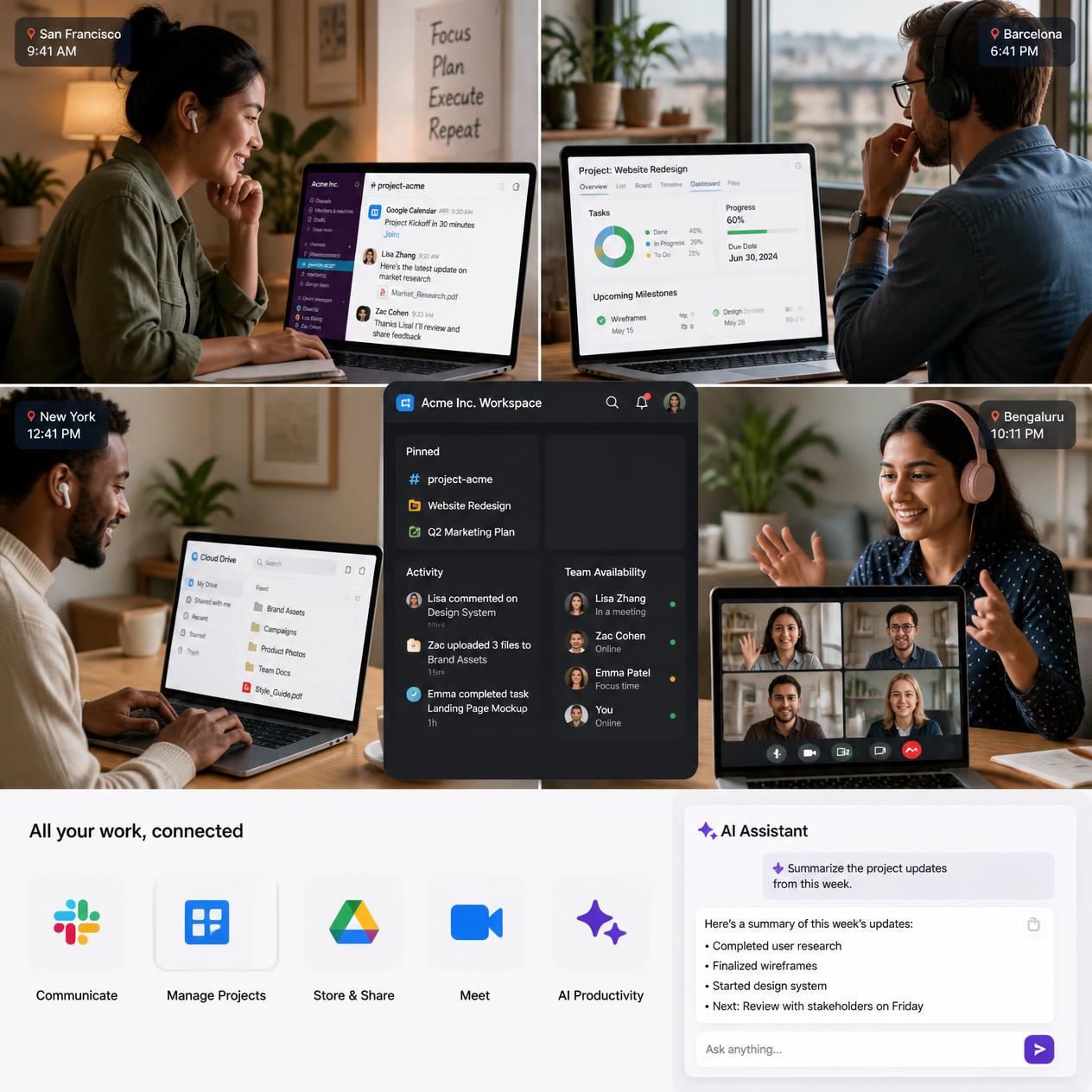
Remote work has changed the way startups build teams, communicate with customers, manage projects, and get work done. A startup no longer needs everyone sitting in the same office to build a successful business.
With the right remote work tech stack, a small team can communicate effectively, collaborate on projects, manage files, hold meetings, protect company information, and stay productive from almost anywhere in the world.
However, choosing too many tools can create another problem. Team members may end up jumping between different apps, losing information, missing important messages, or spending more money than necessary.
This guide explains how startups can build a practical remote work tech stack that supports communication, collaboration, productivity, project management, file sharing, security, and business growth.
What Is a Remote Work Tech Stack?
A remote work tech stack is the collection of digital tools and software a company uses to help its employees work effectively from different locations.
Instead of relying on physical offices and face-to-face communication, remote teams use technology to perform everyday tasks such as:
- Communicating with team members
- Managing projects and deadlines
- Sharing documents and files
- Holding virtual meetings
- Tracking employee tasks
- Managing customer relationships
- Storing company information
- Protecting business data
- Automating repetitive tasks
A startup does not necessarily need dozens of applications. The goal is to choose tools that solve specific problems without making the team’s workflow unnecessarily complicated.
Why Startups Need a Good Remote Work Tech Stack
A well-planned technology setup can make remote work considerably easier.
When employees work from different locations, communication gaps can quickly become a problem. Someone may be working in Lagos while another team member is in London, Nairobi, New York, or another part of the world.
Without the right systems, important information can become scattered across emails, messaging apps, spreadsheets, and personal devices.
A good remote work tech stack can help startups:
1. Improve communication
Team members can communicate quickly without relying entirely on email.
2. Keep projects organized
Project management tools make it easier to assign responsibilities, monitor deadlines, and see what has been completed.
3. Make collaboration easier
Employees can work on documents, presentations, designs, and other files without needing to be physically together.
4. Reduce unnecessary meetings
When teams have good communication and project management systems, not every update needs to become a meeting.
5. Support business growth
A technology setup that works for a five-person team can provide a foundation that can later be expanded as the startup grows.
Essential Tools for a Remote Work Tech Stack
The ideal combination depends on the startup’s industry, team size, budget, and workflow. However, most remote startups need tools in several important categories.
1. Team Communication Tools
Communication is the foundation of remote work.
Your team needs a reliable way to discuss projects, ask questions, share updates, and communicate important information.
Instead of putting everything into one group chat, startups can organize communication into different channels.
For example:
- General announcements
- Marketing
- Sales
- Product development
- Customer support
- Finance
- Social activities
Popular communication platforms include Slack, Microsoft Teams, and similar business communication solutions.
Slack, for example, allows teams to create dedicated channels for different projects and conversations.
The important thing is not simply choosing a popular platform. Choose one that your team will actually use consistently.
Remote communication tip
Establish communication rules from the beginning.
For example, your team could decide that urgent issues should be marked clearly, while non-urgent questions can be answered during normal working hours.
This prevents employees from feeling that they must constantly monitor messages.
2. Video Conferencing Software
Remote employees still need opportunities to communicate face-to-face.
Video conferencing tools are useful for:
- Team meetings
- Client presentations
- Interviews
- Training sessions
- Product demonstrations
- One-on-one discussions
Tools such as Zoom, Google Meet, and Microsoft Teams can support virtual meetings.
However, startups should avoid turning every conversation into a video call.
A short written message may be enough for a simple question, while a complicated discussion may benefit from a meeting.
The goal is to use meetings when they add value rather than simply because everyone works remotely.
3. Project Management Tools
One of the biggest challenges of remote work is knowing who is responsible for what.
Project management software can solve this problem by giving everyone a clear view of tasks, deadlines, and project progress.
Popular options include:
- Trello
- Asana
- ClickUp
- Monday.com
- Jira
A startup could create a workflow such as:
To Do → In Progress → Review → Completed
Each task can then have an owner, deadline, description, and priority.
For example, a startup launching a website might create tasks such as:
- Research competitors
- Create website structure
- Write website content
- Design homepage
- Develop website
- Test website
- Publish website
This makes responsibilities clearer and reduces the chances of important tasks being forgotten.
4. Cloud Storage and File Sharing
Remote teams need a central place to store important business files.
Cloud storage allows employees to access documents from different locations while reducing dependence on individual computers.
Popular options include Google Drive, Microsoft OneDrive, Dropbox, and other cloud storage platforms.
Create an organized folder structure from the beginning.
For example:
Startup Company
- Administration
- Finance
- Human Resources
- Marketing
- Sales
- Clients
- Projects
- Brand Assets
- Legal Documents
Avoid allowing employees to randomly create folders without a structure.
A clear naming convention also makes files easier to find.
For example:
ClientName_ProjectName_Date
is more useful than:
finalnew2.pdf
5. Document Collaboration Tools
Remote teams often need multiple people to work on the same document.
Cloud-based document collaboration makes this possible without sending different versions of a file back and forth through email.
Teams can collaborate on:
- Business plans
- Reports
- Marketing strategies
- Proposals
- Meeting notes
- Spreadsheets
- Presentations
Google Workspace and Microsoft 365 are examples of productivity ecosystems that combine several of these functions.
The biggest advantage is version control. Team members can work from the same document instead of creating multiple confusing copies.
6. Password Management and Cybersecurity Tools
Cybersecurity should not be an afterthought for startups.
Remote employees may access company systems from homes, coworking spaces, hotels, and other locations. This increases the importance of protecting accounts and company data.
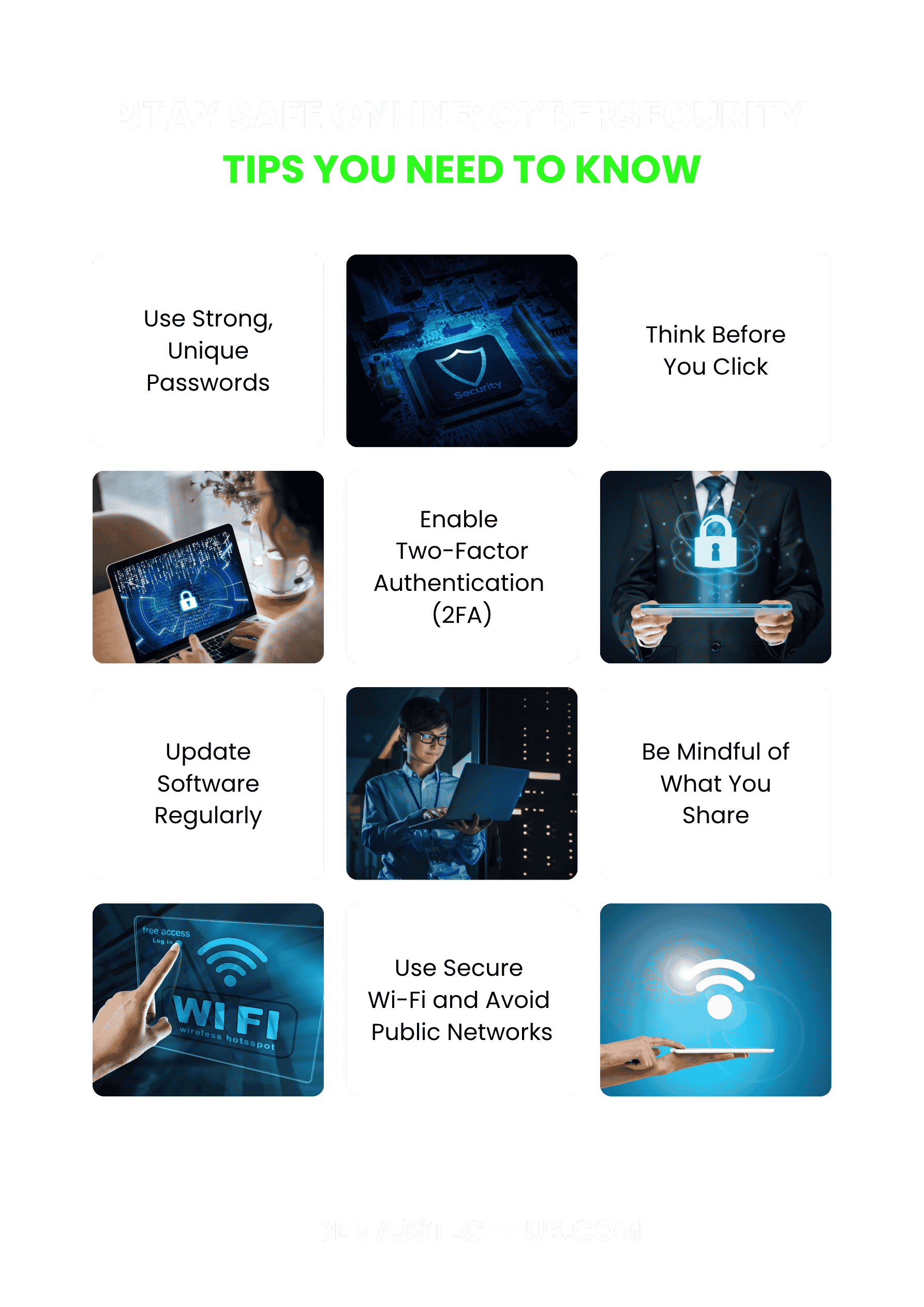
Startups should consider implementing:
- Strong unique passwords
- Multi-factor authentication
- Password managers
- Regular software updates
- Secure Wi-Fi practices
- Device security
- Employee cybersecurity training
- Regular backups
A password manager can help employees securely manage different business passwords without relying on simple passwords or writing them down.
Multi-factor authentication is also important because a stolen password alone should not automatically give someone access to a critical company account.

7. Time Management and Scheduling Tools
Remote teams often work across different cities and time zones.
Scheduling software can help employees know when meetings are taking place and avoid unnecessary confusion.
A shared calendar can be used for:
- Team meetings
- Client appointments
- Deadlines
- Product launches
- Training sessions
- Important company events
Startups with international employees should clearly communicate working hours and time zones.
For example, instead of saying:
“Let’s meet at 10 AM.”
specify the time zone when necessary.
This simple habit can prevent avoidable scheduling mistakes.
8. Customer Relationship Management Software
If your startup has customers, a CRM can become an important part of your remote work tech stack.
CRM software helps businesses organize customer information and track interactions.
A CRM can help a sales team monitor:
- Leads
- Prospects
- Customer conversations
- Sales opportunities
- Follow-ups
- Deals
- Customer information
Instead of keeping customer information in personal spreadsheets, a centralized CRM gives the appropriate team members access to the same information.
9. Team Knowledge Base
Remote employees need access to company information without constantly asking another employee for help.
A knowledge base can contain information such as:
- Company policies
- Standard operating procedures
- Frequently asked questions
- On boarding instructions
- Product information
- Brand guidelines
- Technical documentation
Tools such as Notion and other documentation platforms can be used to create an internal knowledge base.
This becomes particularly valuable as the company grows.
Imagine hiring a new employee and being able to send them one organized on boarding workspace containing everything they need to know.
That is much more efficient than explaining the same processes repeatedly.
10. Automation and AI Tools
Automation can help startups accomplish repetitive tasks faster.
Depending on the business, automation can be used for:
- Email workflows
- Data entry
- Customer notifications
- Scheduling
- Reporting
- Content creation
- Meeting summaries
- Research
- Customer support
AI tools can also assist employees with tasks such as brainstorming, summarizing documents, analyzing information, generating drafts, and organizing ideas.
However, AI should support human decision-making rather than replace proper review.
Before introducing an AI tool into a business workflow, startups should also consider how the tool handles company and customer data.
AI can also help startups reduce repetitive work and improve efficiency. Read http://How to liverage AI tools to boost small business productivity in 2027 for practical ways businesses can use AI.
How to Choose the Right Remote Work Tool
Having access to hundreds of software options does not mean you should use all of them.
A startup should evaluate every tool based on its actual needs.
Here are some important questions to ask.
Does the tool solve a real problem?
Do not purchase software simply because other startups are using it.
Identify the problem first.
For example:
Problem: Employees cannot easily track project deadlines.
Possible solution: Project management software.
This approach prevents unnecessary software spending.
Is it easy for employees to use?
A powerful tool that nobody understands is not necessarily useful.
Look for software with an interface that your team can learn quickly.
Does it integrate with your existing tools?
Your communication platform, project management system, cloud storage, CRM, and other applications should ideally work together where practical.
Integrations can reduce repetitive manual work.
Is the pricing suitable for your startup?
Many software companies offer free plans or affordable plans for small teams.
Start with what your startup actually needs and upgrade as the business grows.
Can the tool scale with your business?
Changing systems every few months can be disruptive.
Consider whether the platform can support your team as it grows.
A Simple Remote Work Tech Stack for a Small Startup
A small startup does not need an expensive collection of software to get started.
A basic setup could include:
| Business Need | Tool Category |
|---|---|
| Team communication | Slack or Microsoft Teams |
| Video meetings | Zoom or Google Meet |
| Project management | Trellis, Asana or Click Up |
| Cloud storage | Google Drive, One Drive or Dropbox |
| Documents | Google Workspace or Microsoft 365 |
| Scheduling | Google Calendar or Outlook Calendar |
| Password security | Password manager |
| Documentation | Notion or another knowledge base |
| Customer management | CRM |
| Automation | Automation/AI platform |
The exact tools are less important than creating a system that your team understands and consistently follows.
How Much Should a Startup Spend on Remote Work Software
There is no universal amount that every startup should spend.
Your technology budget should depend on factors such as:
- Number of employees
- Type of business
- Security requirements
- Customer requirements
- Software features needed
- Available funding
- Expected growth
A five-person startup does not necessarily need enterprise-level software.
One practical approach is to start with free or low-cost plans, identify the limitations, and upgrade only when the business genuinely needs additional features.
This keeps the technology budget under control. NIST.COM
Common Mistakes Startups Make When Building a Remote Tech Stack
Using too many tools
More software does not automatically mean more productivity.
If employees need ten different applications just to complete a simple task, the workflow may become unnecessarily complicated.
Allowing communication to become chaotic
If every conversation happens in one large chat group, important information can easily disappear.
Create dedicated channels and communication guidelines.
Ignoring cybersecurity. CISA.COM
Startups sometimes focus heavily on growth while overlooking security.
A single compromised account can expose sensitive information.
Security should therefore be part of the technology setup from the beginning.
Remote employees may access company systems from homes, coworking spaces, hotels, and other locations. This makes cybersecurity particularly important for growing businesses. For more practical advice, read our guide on Cybersecurity Tips for Businesses: Stay Safe in 2027
Failing to document processes
If only one employee knows how to perform an important task, the company has created a potential bottleneck.
Document important processes so other team members can follow them.
Buying software before understanding the problem
Always identify the business problem first.
Then choose the technology that solves it.
How to Build Your Remote Work Tech Stack Step by Step
If you are starting from scratch, you do not need to implement everything in one day.
Step 1: Identify your team’s needs
List the activities your employees perform every week.
Step 2: Identify communication gaps
Determine how employees currently communicate and where information is getting lost.
Step 3: Choose your core tools
Start with essential categories such as communication, project management, file storage, meetings, and security.
Step 4: Create simple workflows
Decide where different types of information should go.
For example:
Team discussions → Slack
Tasks → Project management tool
Documents → Cloud storage
Meetings → Video conferencing platform
Company procedures → Knowledge base
Step 5: Create company guidelines
Explain how and when employees should use each platform.
Step 6: Train your team
Do not assume everyone automatically knows how to use new software.
Provide simple training and documentation.
Step 7: Review the system regularly
As your startup grows, your technology needs will change.
Review your tools every few months and remove software that is no longer useful.
The Future of Remote Work for Startups
Remote work technology continues to evolve.
Artificial intelligence, automation, cloud computing, cybersecurity, and collaboration platforms are changing how distributed teams operate.
For startups, this creates an opportunity to build efficient businesses without requiring large physical offices.
But technology alone does not create a productive remote team.
Good communication, clear responsibilities, strong leadership, documented processes, trust, and accountability remain important.
The best remote work tech stack is therefore not necessarily the one with the largest number of applications. It is the one that helps your team accomplish its goals with less confusion and unnecessary complexity.

CONCLUSION
Setting up a remote work tech stack for a startup does not have to be complicated or expensive.
Start with the fundamentals: communication, project management, file sharing, video meetings, cybersecurity, documentation, and customer management. Once those systems are working properly, you can introduce automation and AI tools where they provide genuine value.
Remember that your technology should adapt to your business—not the other way around.
Choose tools that solve real problems, train your employees to use them properly, protect company information, and review your technology setup as your startup grows.
With the right combination of technology and well-defined processes, a remote startup can give its team the tools they need to collaborate effectively, stay productive, and build a business from virtually anywhere.Startups should also teach employees how to recognize online threats and protect their accounts. Our guide to The Ultimate Guide to internet safety and digital literacy covers some of these essential digital safety practices.
Frequently Asked Questions About Remote Work Tech Stacks
What is a remote work tech stack?
A remote work tech stack is the collection of software and digital tools a company uses to help employees communicate, collaborate, manage projects, share files, and work effectively from different locations.
What tools does a remote startup need?
Most remote startups need tools for team communication, video conferencing, project management, cloud storage, document collaboration, cybersecurity, scheduling, and customer relationship management.
Is Slack necessary for a remote startup?
Slack is not mandatory. A startup can use Slack, Microsoft Teams, or another communication platform. The important thing is having a centralized and organized system for team communication.
How can startups reduce remote work software costs?
Startups can begin with free or affordable plans, avoid unnecessary applications, take advantage of integrations, and upgrade only when additional features are genuinely required.
How can remote startups protect company data?
Startups should use strong passwords, multi-factor authentication, secure devices, regular software updates, appropriate access controls, employee cybersecurity training, and reliable backups.
Can AI be part of a remote work tech stack?
Yes. AI tools can assist with tasks such as research, writing, meeting summaries, data analysis, customer support, brainstorming, and workflow automation. Companies should review privacy and security considerations before using AI with sensitive business information.