




Best AI tools for content creation is worth discovering because creating high-quality content consistently can be challenging. Whether you run a blog, manage social media accounts, produce YouTube videos, design graphics, or work as a freelance content creator, you need fresh ideas, useful tools, and enough time to bring everything together.
This is where artificial intelligence (AI) can help.
The best AI tools for content creators can help you brainstorm ideas, write and edit articles, generate images, create videos, improve audio, design social media graphics, and organize your content workflow. Some tools offer useful free plans, while others provide more advanced features through paid subscriptions.
However, not every AI tool is suitable for every creator. A blogger may need writing and SEO assistance, while a YouTuber may need video editing and thumbnail design tools. Choosing the right combination can save time and improve the quality of your work without unnecessarily increasing your expenses.
In this guide, we explore 12 of the best AI tools for content creators in 2026, what each tool does well, its limitations, and how you can use it in your daily content creation process.
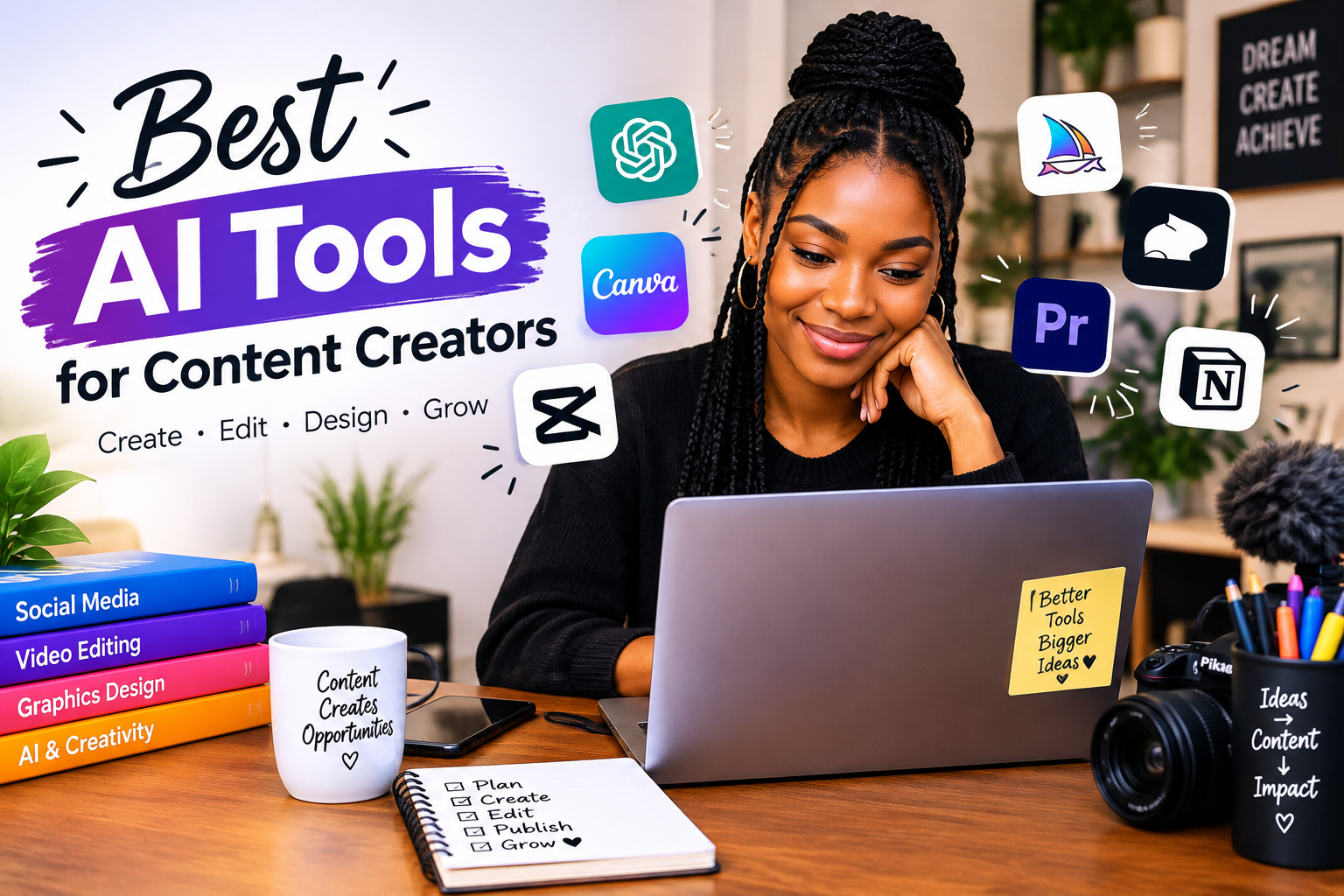
Some of the best AI tools for content creators include ChatGPT for brainstorming and writing assistance, Canva for graphic design, CapCut for video editing, Grammarly for proofreading, Adobe Firefly for creative visuals, and Descript for editing audio and video. The right choice depends on your content format, budget, and goals. see 10 AI Tools To Make Money Online in 2027
Quick Comparison: Best AI Tools for Content Creations
| AI tool | Best for | Free option |
|---|---|---|
| ChatGPT | Ideas, outlines, writing assistance | Yes, with limits |
| Google Gemini | Research assistance and brainstorming | Yes, with limits |
| Grammarly | Grammar, clarity, and proofreading | Yes, with limits |
| Canva AI | Graphics, presentations, and social media designs | Yes, with limits |
| Adobe Firefly | AI-generated and edited visuals | Limited access may be available |
| CapCut | Video editing and short-form content | Yes, with limits |
| Descript | Podcast and video editing | Free option with limits |
| ElevenLabs | AI voiceovers and narration | Limited free access may be available |
| VEED | Browser-based video creation and editing | Limited free access may be available |
| Notion AI | Planning and organizing content | AI access depends on plan |
| Buffer | Social media planning and publishing | Free plan available; AI access may vary |
| Perplexity | Research and finding sources | Yes, with limits |
Note: Free-plan limits, features, and regional availability can change. Check each tool’s official website before subscribing or building your workflow around a particular feature.
1. ChatGPT: Best for Content Ideas and Writing Assistance
Best for: Bloggers, copywriters, social media managers, YouTubers, and freelance creators.
ChatGPT is a versatile AI assistant that can support several stages of content creation. Instead of staring at a blank page, creators can use it to brainstorm topics, organize ideas, develop outlines, improve drafts, and adapt existing content for different platforms.
For example, a blogger can use ChatGPT to develop an article outline, while a social media manager can turn a business announcement into several caption ideas for Facebook, Instagram, LinkedIn, and TikTok.
What can you do with ChatGPT?
- Generate blog post ideas based on a target audience.
- Create article outlines and first drafts.
- Write social media captions, hooks, and calls to action.
- Develop YouTube video scripts.
- Rewrite complicated explanations in simpler language.
- Repurpose a long article into shorter pieces of content.
- Brainstorm headlines and frequently asked questions.
Practical example
Suppose you want to publish a blog post titled How Small Businesses Can Use AI to Save Time.
You could prompt ChatGPT:
“Act as a content strategist for a technology blog. Suggest 10 practical ways small businesses in the USA, UK, and Canada can use AI to save time. Include examples for online stores, freelancers, and service businesses. Avoid exaggerated claims and organize the ideas into a clear blog outline.”
You can then research the suggestions, verify factual claims, add examples, and develop the article in your own editorial style.
Advantages
- Useful for many different content formats.
- Helps overcome writer’s block.
- Can adapt its responses to detailed instructions.
- Supports rewriting, summarizing, brainstorming, and editing.
Limitations
ChatGPT can produce incorrect information, outdated claims, or generic writing. It should not be treated as a substitute for fact-checking, original experience, or subject expertise.
Verdict: ChatGPT is a strong starting point for creators who want one tool to support multiple writing and planning tasks.
Official website: https://chatgpt.com/
2. Google Gemini: Best for Research Assistance and Brainstorming
Best for: Bloggers, educators, digital marketers, and creators who work with information-heavy topics.
Google Gemini is an AI assistant that can help creators explore ideas, understand unfamiliar topics, develop outlines, and draft content. Depending on the features available to your account, it can also help you work with files and other forms of information.
It is particularly useful when you need to explore several angles before choosing the direction of an article or video.
How content creators can use Gemini
- Brainstorm topics for a specific audience.
- Generate questions to investigate before writing.
- Develop outlines for educational articles.
- Simplify technical concepts for beginners.
- Create video scripts and social media content.
- Review and reorganize rough notes.
Practical example
If you run a technology blog, you could ask Gemini to suggest article ideas about online privacy for remote workers. You could then investigate which questions are most relevant to your readers and consult trustworthy sources before writing.
Remember that AI-generated suggestions are starting points, not proof that a topic has high search demand.
Advantages
- Helpful for brainstorming and explaining complex subjects.
- Useful for developing structured outlines.
- Can support different content formats.
- Offers a free entry point, subject to current usage limits.
Limitations
Its responses still require verification. Do not assume that an answer is accurate simply because it sounds confident or includes a source-like explanation.
Verdict: Gemini is worth considering if research assistance and idea development are important parts of your content workflow.
Official website: https://gemini.google.com/
3. Grammarly: Best for Editing and Proofreading
Best for: Bloggers, students, freelance writers, marketers, and business owners.
Publishing content with spelling mistakes, confusing sentences, or awkward wording can weaken the reader’s experience. Grammarly helps writers identify grammatical problems and improve clarity, tone, and readability.
Although it is not a complete content-generation platform, it can be valuable during the editing stage.
What can Grammarly help you improve?
- Spelling and punctuation.
- Grammar and sentence structure.
- Word choice and readability.
- Professional or conversational tone.
- Clarity in emails, articles, and business content.
Practical example
Imagine you have written a blog post about cybersecurity for small businesses. After checking the technical facts, you can use Grammarly to identify unclear sentences and unnecessary repetition.
You should review its suggestions instead of accepting every change automatically. A sentence can be grammatically correct and still sound unnatural for your intended audience.
Advantages
- Helps improve the quality of written content.
- Useful for final editing before publication.
- Can support different writing situations.
- Has a free option for basic assistance.
Limitations
Some advanced rewriting and AI features require a paid plan. Grammarly can also suggest changes that remove your personal voice if you rely on it too heavily.
Verdict: Grammarly is a useful companion for creators who publish written content regularly.
Official website: https://www.grammarly.com/
4. Canva AI: Best for Graphic Design and Social Media Content
Best for: Social media managers, bloggers, small businesses, and beginner designers.
Canva combines design templates with tools that help users create and edit visual content. Its AI features can support idea generation, writing, image creation, and design workflows, depending on the user’s plan and available features.
You do not need to be a professional graphic designer to create attractive blog graphics, social media posts, presentations, and video layouts.
What can you create with Canva?
- Instagram posts and carousels.
- Facebook graphics and event flyers.
- Pinterest pins.
- Blog featured images.
- YouTube thumbnails.
- Presentations and marketing materials.
- Short videos and branded visual content.
Practical example
Suppose you have written an article about the best AI tools for content creators. You can create a featured image for your blog, then develop a carousel highlighting five tools from the article.
One article can therefore support multiple visual assets without requiring you to design everything from scratch.
Advantages
- Beginner-friendly design interface.
- Many templates for common content formats.
- Useful for maintaining consistent branding.
- Combines design and selected AI-assisted features.
Limitations
Some premium templates, stock assets, and AI capabilities require payment. Always check image licensing and usage terms before using generated or stock visuals in commercial projects.
Verdict: Canva is one of the most practical options for creators who need attractive graphics without a complicated design workflow.
Official website: https://www.canva.com/

5. Adobe Firefly: Best for AI-Generated Creative Visuals
Best for: Designers, bloggers, advertisers, and creators who need original-looking visual assets.
Adobe Firefly provides generative AI features for creating and editing images and other creative assets. Depending on the tools available, creators can use text prompts and editing controls to explore visual concepts without producing every element manually.
What can you use Adobe Firefly for?
- Creating visual concepts for articles.
- Generating backgrounds and creative scenes.
- Exploring advertising concepts.
- Editing or expanding images with supported features.
- Developing visual assets for campaigns.
Practical example
For an article about the future of artificial intelligence, you could develop a prompt describing a modern workspace with a laptop, digital interfaces, and a professional creative atmosphere.
After generating a suitable visual, review it for visual errors and make sure it matches your website’s style.
Advantages
- Useful for exploring visual concepts.
- Supports AI-assisted image creation and editing.
- Can complement other Adobe creative applications.
Limitations
Access to generative features may be limited by plan, credits, and availability. Generated images may also contain inaccurate details, so inspect them before publication.
Verdict: Consider Firefly if custom visuals are important to your blog, brand, or marketing work.
Official website: https://firefly.adobe.com/
6. CapCut: Best for Short-Form Video Creation
Best for: TikTok creators, Instagram Reels producers, YouTubers, and social media managers.
CapCut is a video-editing tool with features for trimming clips, adding captions, applying effects, using templates, and creating platform-friendly videos. It also offers AI-powered capabilities, although access to particular features depends on the version and plan.
It is useful for creators who want to produce engaging videos without learning a complicated professional editing workflow first.
What can you create with CapCut?
- TikTok videos.
- Instagram Reels.
- YouTube Shorts.
- Talking-head videos.
- Short promotional videos.
- Videos with captions and voiceovers.
- Faceless videos using suitable footage and narration.
Practical example
You can turn a blog post into a 30-second video by selecting one useful point, writing a short script, recording a voiceover, adding relevant footage, and including readable captions.
For example, a video titled Three AI Tools That Can Save Content Creators Time could feature one tool per scene, with a short explanation and a call to action at the end.
Advantages
- Useful for short-form video editing.
- Offers templates and beginner-friendly editing features.
- Can help speed up captioning and other supported tasks.
- Available in different formats, including mobile and desktop options.
Limitations
Some AI features, effects, and templates may be restricted to paid plans. Availability can also differ by device or region. Check your export settings to avoid unexpected watermarks or quality restrictions.
Verdict: CapCut is a practical choice for creators who want to publish more video content for social media.
Official website: https://www.capcut.com/
7. Descript: Best for Podcast and Video Editing
Best for: Podcasters, educators, interviewers, and YouTube creators.
Descript takes a text-based approach to audio and video editing. Its workflow allows creators to work with transcripts and make supported edits to recordings by editing text.
This can be especially useful when producing interviews, tutorials, educational videos, or podcasts with long recordings.
Useful features
- Transcription of supported recordings.
- Text-based audio and video editing.
- Removing selected filler words with supported tools.
- Editing spoken content more efficiently.
- Preparing transcripts for repurposing.
Practical example
Imagine you record a 20-minute interview with a business owner. You can use a transcription workflow to identify useful sections, edit the material, and develop shorter clips for social media.
Always review the transcript because names, accents, technical expressions, and background noise can lead to transcription errors.
Advantages
- Can simplify editing of speech-heavy content.
- Useful for repurposing longer recordings.
- Helps creators work with both transcripts and recordings.
Limitations
Free usage may be limited, and some advanced features require payment. Editing a transcript does not eliminate the need to review the final audio or video.
Verdict: Descript is worth exploring if your content involves interviews, tutorials, podcasts, or spoken explanations.
Official website: https://www.descript.com/
8. ElevenLabs: Best for AI Voiceovers and Narration
Best for: Faceless YouTube channels, educational creators, video producers, and storytellers.
ElevenLabs offers AI audio tools, including text-to-speech capabilities. These tools can convert written scripts into spoken narration using supported voices and languages.
For creators who do not want to record every voiceover themselves, this can make audio production more convenient.
How creators can use ElevenLabs
- Narrate educational videos.
- Produce voiceovers for explainers.
- Add narration to suitable promotional videos.
- Develop audio versions of written content.
- Experiment with different supported voices and languages.
Practical example
If you publish a tutorial about protecting personal information online, you can prepare a concise script and generate narration using a suitable voice. Add relevant footage, captions, and background music where appropriate.
Listen to the complete result before publishing. Correct pronunciation, natural pacing, and suitable emphasis matter just as much as audio quality.
Advantages
- Useful for producing narration from scripts.
- Can support multilingual content workflows.
- Helps creators who prefer not to record their own voices.
Limitations
Free access and generation limits can change. Check commercial-use terms and obtain permission before cloning or imitating another person’s voice. Do not use synthetic voices to mislead viewers about who is speaking.
Verdict: ElevenLabs can be helpful for creators who produce narrated videos, explainers, or audio content.
Official website: https://elevenlabs.io/
9. VEED: Best for Browser-Based Video Creation
Best for: Social media managers, marketers, educators, and creators who prefer online editing.
VEED is an online video creation and editing platform. It offers editing tools and AI-assisted features that can help creators prepare videos, work with subtitles, and develop content for different platforms.
Because it runs in a browser, it can be convenient for people who do not want to install a full desktop video-editing application.
What can VEED help you do?
- Edit videos online.
- Add or edit subtitles using supported tools.
- Prepare short promotional videos.
- Work with narration and video assets.
- Adapt content for social media.
Practical example
A business owner could prepare a short product demonstration, add captions for viewers watching without sound, and export a version suited to a social media platform.
Before exporting, check the output resolution, watermark rules, and any restrictions associated with your plan.
Advantages
- Browser-based editing workflow.
- Useful for subtitles and straightforward video projects.
- Offers AI-assisted tools within a wider editing environment.
Limitations
Some features may require a subscription, and browser-based editing can be demanding on slower computers or internet connections.
Verdict: VEED is a useful alternative for creators who want online video-editing tools in one place.
Official website: https://www.veed.io/
10. Notion AI: Best for Content Planning and Organization
Best for: Bloggers, content teams, freelancers, and social media managers.
Creating content involves more than writing or designing. You also need to organize ideas, track deadlines, maintain a publishing calendar, and keep project information accessible.
Notion provides a workspace for notes, documents, databases, and project planning. Its AI features can support selected writing and organization tasks, depending on the current plan.
How content creators can use Notion
- Maintain a content idea bank.
- Organise article outlines and research notes.
- Build a publishing calendar.
- Track the progress of each project.
- Keep campaign briefs and brand guidelines together.
Practical example
You can create a content calendar with columns for the topic, platform, target keyword, publication date, status, and final URL. This makes it easier to see which articles are planned, drafted, edited, or published.
For a small blog, even a simple content database can prevent ideas from being forgotten and deadlines from being missed.
Advantages
- Helps organize projects and notes.
- Useful for individual creators and teams.
- Supports structured content planning.
Limitations
Advanced AI access may depend on the subscription. Notion can also become unnecessarily complicated if you create too many databases and workflows before establishing your actual needs.
Verdict: Notion is worth considering if your biggest challenge is staying organised and publishing consistently.
Official website: https://www.notion.so/
11. Buffer: Best for Social Media Planning and Publishing
Best for: Social media managers, small businesses, freelancers, and independent creators.
Buffer helps users plan and publish social media content across supported channels. Depending on the available features and subscription, it can also support AI-assisted caption writing and content repurposing.
It is particularly useful for creators who manage several social media accounts and want a more organised publishing routine.
What can Buffer help you do?
- Plan social media posts.
- Organise a publishing schedule.
- Manage supported social channels.
- Draft or adapt captions with available AI features.
- Review publishing activity and available performance insights.
Practical example
Suppose you publish a detailed blog post every Monday. You can plan a related social media post for Monday, a practical tip for Wednesday, and a short question or discussion prompt for Friday.
Each post should offer a useful angle rather than repeating the same caption word for word.
Advantages
- Helps organise social media publishing.
- Useful for maintaining a consistent schedule.
- Can reduce the need to manage every post manually.
Limitations
Supported channels, AI features, analytics, and scheduling limits vary by plan. A scheduling tool also cannot guarantee that a post will attract engagement or reach a particular audience.
Verdict: Buffer can be useful when your publishing process becomes difficult to manage manually.
Official website: https://buffer.com/
12. Perplexity: Best for Research and Finding Sources
Best for: Technology bloggers, educational creators, journalists, and writers covering factual subjects.
Perplexity is an AI-powered research tool that can help users explore questions and discover relevant sources. It can be useful during the research stage of an article, especially when you need to identify official documentation, reports, or other material to investigate.
How creators can use Perplexity
- Explore unfamiliar topics.
- Identify sources for further reading.
- Find official product documentation.
- Develop questions for an article.
- Compare claims across available sources.
Practical example
If you are writing about cybersecurity tools for small businesses, you can use Perplexity to identify official guidance and relevant reports. Open the original sources, check their publication dates, and confirm that they support the statements you plan to make.
Do not cite an AI-generated summary as if you personally verified the original evidence.
Advantages
- Useful for exploring research questions.
- Can help locate relevant source material.
- Supports the early stages of factual content development.
Limitations
Search results can be incomplete, and cited pages may not fully support every claim in an AI-generated answer. Verify important information directly with the original publisher.
Verdict: Perplexity is a useful research companion, especially for creators who write about technology, business, and other factual subjects.
Official website: https://www.perplexity.ai/
How to Choose the Best AI Tools for Your Type of Content
You do not need to subscribe to every tool on this list. The best approach is to identify the tasks that consume the most time and choose tools that address those specific needs.
| Type of creator | Recommended starting tools | Main purpose |
|---|---|---|
| Blogger | ChatGPT, Grammarly, Perplexity | Research assistance, drafting, and editing |
| YouTuber | ChatGPT, CapCut, ElevenLabs | Scripts, editing, and narration |
| Social media manager | ChatGPT, Canva, Buffer | Captions, designs, and scheduling |
| Graphic designer | Canva, Adobe Firefly | Layouts and visual concepts |
| Podcaster | Descript, ChatGPT | Editing and repurposing episodes |
| Small business owner | ChatGPT, Canva, Buffer | Marketing content and publishing |
| Educator | Gemini, Descript, Canva | Explanations, recordings, and learning materials |
| Freelance writer | ChatGPT, Grammarly, Perplexity | Outlining, proofreading, and source discovery |
These are starting recommendations, not mandatory combinations. You may find that one or two tools are enough for your entire workflow.
Best Free AI Tools for Content Creations
If you are just starting out, you can create useful content without immediately paying for several subscriptions.
Here are practical options to investigate:
For writing: Start with ChatGPT or Gemini for brainstorming and outlining. Use the free features available to your account, and verify important facts before publication.
For graphic design: Try Canva’s free plan for social media graphics, simple presentations, and blog images.
For video editing: Explore CapCut’s free editing tools or another suitable editor. Check the export settings and whether the features you need are free.
For proofreading: Use Grammarly’s basic features to check writing before publishing.
Can you create content without paying for AI tools?
Yes. You can combine free plans with your own research, writing skills, smartphone, and basic editing software.
However, free access does not always mean unlimited use. Some tools limit the number of prompts, AI generations, exports, or advanced features you can access.
Before paying for an upgrade, use the free version to complete a real project. Upgrade only when you consistently encounter a limitation that affects your work.
How to Use AI Tools to Create Content From Start to Finish
The greatest benefit of AI comes from using it as part of a complete workflow rather than generating content and publishing it immediately.
Here is a practical example for a technology blogger.
Step 1: Choose a topic your audience needs
Start with a question your readers are likely to have. Use keyword research, search suggestions, customer questions, and relevant industry discussions to understand their interests.
For example: How can small businesses use AI to improve productivity?
An AI assistant can suggest related angles, but keyword demand and ranking difficulty should be checked using appropriate SEO tools.
Step 2: Research and verify the information
Use search engines, official documentation, reputable reports, and research assistants to gather useful information.
Record the original source for important facts. Check dates, prices, product capabilities, and any claims that may change over time.
Step 3: Create an outline and first draft
Use ChatGPT or Gemini to organise the article into a logical structure. Ask for plain language, useful examples, clear headings, and answers to common reader questions.
Add your own insights, examples, and explanations. Do not rely on a generic draft as the finished article.
Step 4: Edit the writing
Review the article for factual accuracy, repetition, grammar, and readability. Grammarly can help identify language problems, but you should make the final editorial decisions.
Step 5: Create relevant visual assets
Use Canva or an appropriate image tool to create a featured image, diagrams, or supporting graphics.
Make sure the images are relevant to the content and that you have permission to use them.
Step 6: Optimise the article for search
Include the primary keyword naturally in the title, introduction, URL slug, and relevant headings where appropriate. Write a useful meta description and add relevant internal links.
Do not repeat the keyword excessively or add headings solely to increase keyword density.
Step 7: Repurpose the article
Turn the article’s strongest ideas into a short video, social media carousel, email newsletter, or discussion post. CapCut can help with video production, Canva with visual content, and Buffer with scheduling.
Step 8: Publish and learn from the results
Review relevant performance data, such as search impressions, clicks, engagement, and conversions. Use what you learn to improve future articles and campaigns.
This process helps you use AI for efficiency while keeping research, editorial judgement, and audience needs at the centre of your work.
How to Write Better Prompts for AI Content Creation
The quality of an AI-generated draft often depends on how clearly you explain the task.
A vague prompt such as “Write a blog post about technology” gives the tool very little direction.
A stronger prompt identifies the audience, objective, tone, format, and requirements.
For example:
“Act as an experienced technology blogger writing for beginners in the USA, UK, and Canada. Create a practical outline for an article about AI tools for small businesses. Use simple English, include realistic business examples, identify claims that require verification, and avoid exaggerated promises. Do not invent statistics, customer testimonials, or product features.”
You can improve the result further by providing your own notes, preferred structure, and trusted sources.
Always review the output before publication. AI can help you produce a better first draft, but it cannot automatically guarantee originality, accuracy, search rankings, or reader engagement.
Can AI-Generated Content Rank on Google?
AI-assisted content can appear in Google Search. The important question is whether the finished page is useful, reliable, original in its contribution, and created for readers.
Using AI does not automatically make an article good or bad. A page that simply repeats common information, invents facts, or publishes large quantities of low-value material is unlikely to offer readers a strong reason to choose it.
To improve your content’s search potential:
- Answer the reader’s main question early.
- Include practical instructions and specific examples.
- Verify factual statements using reliable sources.
- Add meaningful original insight or experience.
- Use descriptive headings and a clear page structure.
- Link to relevant pages on your website.
- Cite authoritative sources where appropriate.
- Keep product details and recommendations current.
- Update articles when important information changes.
No AI tool can guarantee a first-page ranking. Search visibility depends on many factors, including relevance, competition, quality, website performance, and Google’s systems.
For a technology blog, AI should help you produce more useful content, not simply more pages.
Common Mistakes to Avoid When Using AI Tools For Content Creation
Even the best AI tools can produce disappointing results when used carelessly.
1. Publishing AI drafts without editing
AI-generated writing may sound polished while containing errors, repetition, or generic examples. Read and revise the entire article before publication.
2. Trusting every fact or statistic
AI tools can generate inaccurate details about products, prices, laws, and research. Verify important claims against reliable sources.
3. Paying for too many subscriptions
Several tools may offer overlapping features. Start with free access where available and pay only for capabilities you genuinely need.
4. Ignoring your audience
A caption for a professional LinkedIn audience may not work for TikTok. Adapt the tone, length, format, and message to each platform.
5. Using visuals without checking permissions
Review the applicable licensing and commercial-use terms for images, music, video clips, and generated assets.
6. Expecting AI to guarantee income or viral content
AI can improve parts of your workflow, but it cannot guarantee clients, revenue, engagement, or search rankings. Results still depend on the quality of your work and how well it meets audience needs.
Frequently Asked Questions
What are the best AI tools for content creations in 2026?
Useful options include ChatGPT for writing assistance, Gemini for brainstorming and research assistance, Canva for graphic design, CapCut for video editing, Grammarly for proofreading, and Perplexity for discovering research sources. The best tool depends on the type of content you produce.
What is the best free AI tool for content creation?
There is no single best option for everyone. ChatGPT and Gemini can help with ideas and writing, Canva offers design features, and CapCut provides video-editing tools. Each has different limitations, so choose according to your needs.
Can beginners use AI tools for content creation?
Yes. Many tools have beginner-friendly interfaces and offer templates, guided workflows, or conversational prompts. Start with one content format, learn the basics, and add tools only when you need them.
Can AI tools help me make money as a content creator?
AI tools can help you produce blog posts, graphics, videos, marketing materials, and other services for potential clients. However, earning money requires useful skills, good work, appropriate pricing, and a way to reach customers. AI access alone does not guarantee income.
Which AI tool is best for creating social media posts?
Canva is useful for visual designs, while ChatGPT can help develop captions and content ideas. Buffer can help with scheduling and publishing on supported platforms. Combining these tools may suit creators who manage several social media accounts. see
Are paid AI tools better than free tools?BEST FREE AI VIDEO GENERATORS IN 2026
Paid tools may offer higher limits, more advanced features, or a more convenient workflow. However, a free plan may be sufficient for a beginner or a creator who publishes occasionally. Test the free options before deciding whether an upgrade is worthwhile.
Can I use AI-generated content on my blog?
You can use AI to assist with blog content, but you should check accuracy, provide meaningful value, edit the material, and follow relevant content and copyright rules. AI-generated text should not be assumed to be accurate or automatically free of plagiarism.
Do I need many AI tools to be successful in content creation?
No. A small combination of tools that fits your workflow is often more practical than subscribing to numerous services. Focus on producing valuable content consistently and learning from audience feedback.
CONCLUSION:
Which AI Tools Should Content Creators Start With?
The best AI tools for content creators are the ones that solve real problems in your workflow.
You do not need every tool mentioned in this guide. Choose one or two that address your biggest challenges, practice using them on real projects, and measure whether they help you work more effectively.
Most importantly, remember that AI is a tool to support your creativity, not a replacement for your judgement, originality, and understanding of your audience. The creators who combine useful technology with thoughtful, trustworthy content will be better equipped to build lasting relationships with their readers and viewers.